
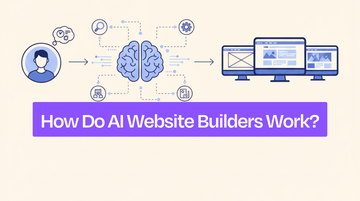
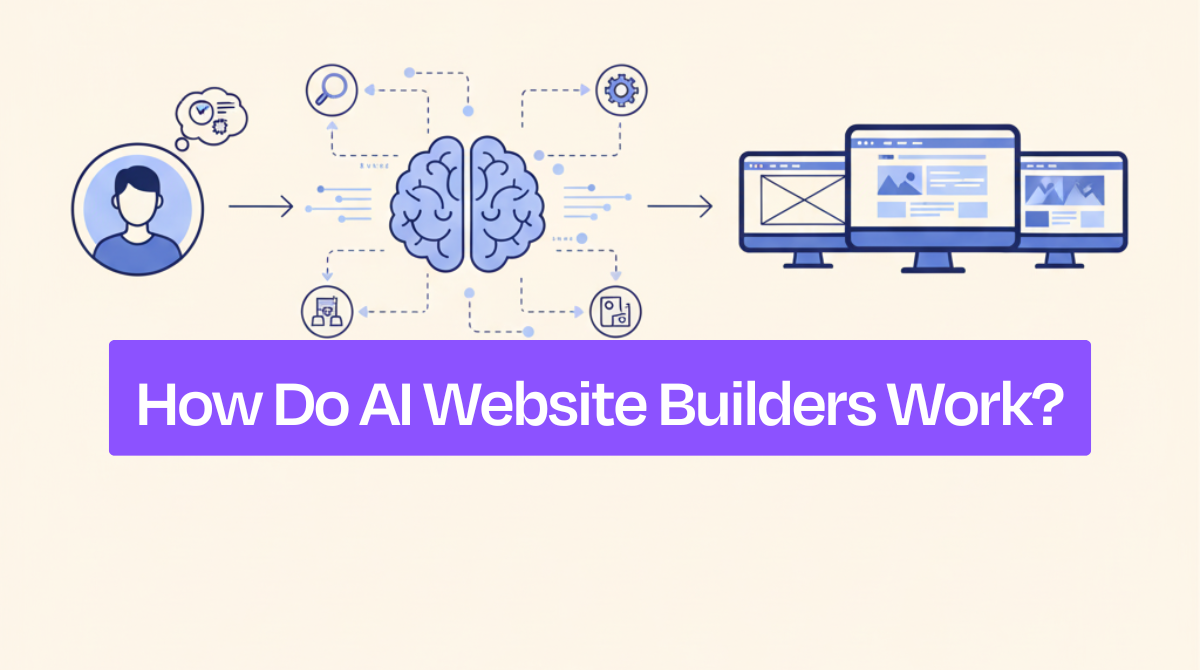
AI website builders work by interpreting your simple text description, like "modern portfolio for freelance designer", and automatically creating a complete website in under 60 seconds.
The AI analyzes your prompt using natural language processing to understand your business type and design preferences, then applies machine learning to select appropriate layouts from millions of design patterns. It generates custom content and images using models like GPT-4 and DALL-E, finally compiling everything into professional HTML/CSS code.
You simply type what you want, and the AI handles design, content, and technical implementation automatically.
How Does AI Transform Your Prompt Into a Website?
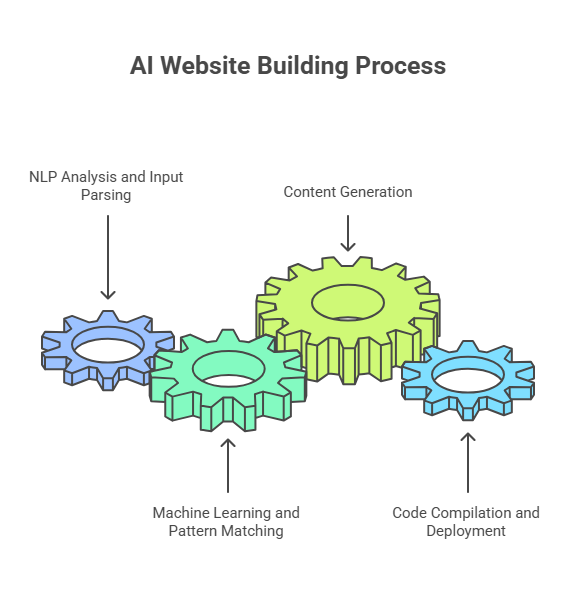
AI website builders process your prompt through four distinct stages: first, natural language processing extracts your business type and design preferences; second, pattern-matching algorithms select appropriate templates; third, content generation creates text and images; fourth, code compilers produce clean HTML, CSS, and JavaScript.
1. NLP Analysis and Input Parsing
Natural language processing technology interprets your text prompt to extract business type, design style, and required functionalities.
For instance, from 'a modern portfolio site for a freelance designer,' NLP extracts: entity type (portfolio), industry (design/creative), style preference (modern/minimalist), target user (freelance professional), and implied requirements (project showcase, about section, contact form).
2. Machine Learning and Pattern Matching
Next, Machine learning models compare your parsed input against datasets containing 100,000+ website designs, analyzing layout patterns, navigation structures, color schemes, and content hierarchies specific to your industry and site type.
The system performs pattern recognition and template selection, aligning layout and visual hierarchy with your described purpose.
3. Content Generation
Once the framework is defined, AI-driven content generation models create text, headlines, and visuals suited to your niche. Platforms like Dorik exemplify single-prompt generation, producing both structure and branded content simultaneously through AI-powered website generation.
4. Code Compilation and Deployment
Finally, automated compilers convert all components into optimized HTML, CSS, and JavaScript, ensuring responsiveness, accessibility, and SEO compliance before rendering a ready-to-launch website.
| Stage | Technology Used | Output | Time Required |
|---|---|---|---|
| 1. NLP Analysis | NLP, Prompt Parsing | Structured Input Data | 0.5-2 seconds |
| 2. Machine Learning | Pattern Matching, Template Selection | Layout Framework | 3-10 seconds |
| 3. Content Generation | AI Text & Image Models | Branded Content | 0-30 seconds |
| 4. Code Compilation | Automated Code Engines | HTML/CSS/JS Website | 5-15 seconds |
What Happens When You Enter a Prompt?
Prompt parsing begins with keyword extraction and semantic analysis, identifying business type ('restaurant,' 'portfolio,' 'e-commerce'), industry ('photography,' 'legal,' 'retail'), and style signals ('modern,' 'classic,' 'minimal')
Entity extraction identifies concrete elements: products (handmade candles, organic coffee, custom jewelry), services (appointment booking, consultation scheduling, download delivery), and features (dark mode, minimal design, high-res galleries).
Intent classification analyzes verb patterns and goal indicators: 'sell' or 'purchase' signals e-commerce needs, 'showcase' or 'display' indicates portfolio requirements, while 'capture leads' or 'collect emails' identifies lead generation priorities.
This structured data is compared with training datasets of design and layout patterns using pattern-matching algorithms.
Effective prompt engineering for websites ensures the AI interprets nuances accurately, producing a design and content structure aligned with your described purpose and target audience.
How Long Does the AI Generation Actually Take?
-
Initial Website Generation: 30–60 seconds (NLP analysis 1-2s, template matching 5-10s, content generation 20-35s, code compilation 5- 10s—parallel processing reduces total time)
-
Full Customization: 5–30 minutes for manual design refinements, content editing, and integration setup.
-
Publishing: Instant —pre-compiled code deploys to CDN-backed hosting.
What Technology Powers AI Website Builders?
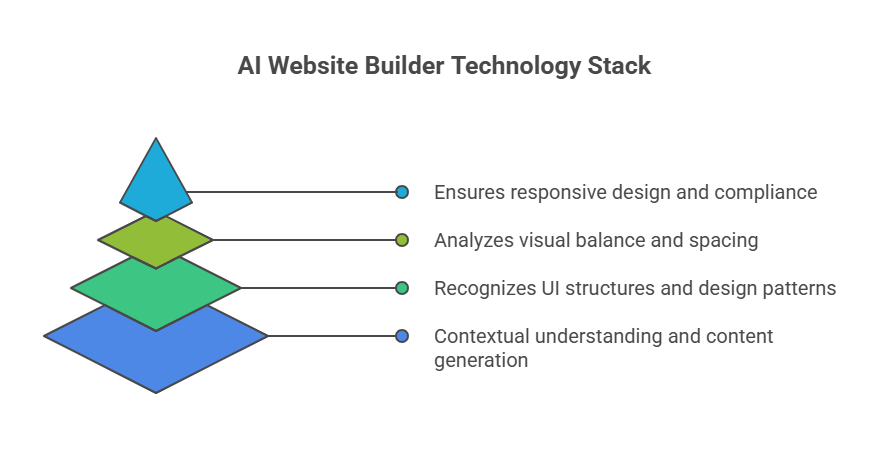
Three core technologies power AI website builders: transformer-based language models interpret prompts and generate content, computer vision algorithms analyze visual balance and spacing, and rule-based systems enforce responsive design standards.
Transformer models like GPT-4 excel at understanding context across long prompts and generating human-quality text, while BERT specializes in interpreting search-like queries and extracting semantic meaning—making them ideal for parsing user descriptions and producing coherent website content.
Transformer models power the AI content generation capabilities extensively, ensuring design and copy align with user intent.
Training datasets typically contain 100,000-500,000 website designs crawled from live sites, with each example tagged for industry, layout type, color scheme, navigation pattern, and user engagement metrics—creating labeled datasets that teach models what 'good design' looks like for specific business types.
These datasets teach the AI to recognize UI structures, color hierarchies, and navigation logic.
Computer vision algorithms analyze element positioning, detecting when text blocks are too close to images (suggesting cramped layouts), when white space distribution is uneven, or when visual weight (size, color contrast, positioning) creates imbalanced designs—automatically adjusting margins, padding, and element sizing for professional appearance.
Meanwhile, rule-based systems maintain responsive design, SEO, and accessibility compliance, ensuring each output meets web standards.
This synergy of neural and rule-based intelligence allows AI builders to replicate expert-level web design with minimal human input.
Which Machine Learning Models Do Builders Use?
Text and code generation uses GPT-3 or GPT-4 (trained on 570GB and 1TB+ of text, respectively), enabling the creation of contextually accurate headlines, body content, navigation labels, and even complete HTML component structures from natural language descriptions.
For visuals, systems like DALL-E or Stable Diffusion generate high-resolution, style-consistent images tailored to a brand’s aesthetic.
BERT excels at bidirectional context analysis—reading entire prompts simultaneously rather than sequentially—making it superior for classifying user intent ('Is this person building a store or a blog?') while GPT models handle sequential content generation.
Platforms also develop proprietary algorithms trained on their own template libraries (typically 100-1,000 templates) and billions of user interaction data points—learning which layouts receive the most engagement, where users click, and which designs convert visitors into customers.
These combined models deliver adaptive, design-aware intelligence that can translate abstract ideas into cohesive websites with human-level fluency and visual logic.
How Do AI Builders Learn Design Principles?
Training algorithms analyze 100,000+ websites per industry vertical, calculating that e-commerce sites typically place 'Add to Cart' buttons in the upper right, that photography portfolios average 60% white space, that SaaS sites use blue tones in 73% of designs, and that service sites position contact information in headers 89% of the time.
Hard-coded rules enforce WCAG 2.1 accessibility standards (minimum 4.5:1 color contrast, keyboard navigation, alt text requirements), mobile responsiveness breakpoints (320px, 768px, 1024px, 1440px), and SEO fundamentals (H1 uniqueness, meta description length limits, image optimization).
Additionally, user feedback loops continuously refine AI predictions, allowing the system to adapt to evolving design trends and preferences.
By combining pattern recognition, structured rules, and iterative learning, AI builders develop the ability to generate visually cohesive, functional, and user-friendly websites without manual intervention.
What Can AI Builders Create vs What Requires Manual Work?
Automated features include:
-
Layout structure (grids, sections, navigation positioning)
-
Placeholder content (generic headlines, body text, calls-to-action)
-
Color schemes (complementary palettes based on brand colors)
-
Responsive breakpoints (automatic mobile/tablet/desktop optimization)
-
Standard pages (Home, About, Services, Contact with typical sections pre-populated).
For Example, AI generates complete landing pages from single prompts, including hero sections, feature grids, testimonial blocks, and call-to-action buttons with conversion-optimized placement. It’s a lot faster than manually selecting and arranging pre-built blocks.
Manual intervention is required for more sophisticated requirements. Tasks such as advanced functionality, custom integrations, unique animations, brand-specific assets, or intricate e-commerce setups cannot be fully automated.
Partial automation occurs when tasks require external integrations or custom business logic: AI proposes checkout page layouts, but connecting Stripe API keys, configuring tax rules, and setting up webhook endpoints for order notifications require manual developer input because they involve third-party systems and unique business requirements.
Complex e-commerce functionality, including product variants, subscriptions, or inventory rules, still demands hands-on input from developers or designers.
| Feature | Fully Automated | Partially Automated | Manual Required |
|---|---|---|---|
| Layout Structure | Yes | - | - |
| Landing Pages | Yes | - | - |
| Basic Content | Yes | - | - |
| Color Schemes & Typography | Yes | - | - |
| Responsive Design | Yes | - | - |
| Standard Pages | Yes | - | - |
| Brand-Specific Assets | - | Yes (adjusted after AI suggestion) | - |
| Custom Integrations | - | Yes (framework provided) | - |
| Advanced Animations | - | - | Yes (parallax scrolling, custom SVG animations, Three.js 3D effects) |
| E-Commerce Features | - | Yes (basic store setup) | Yes (subscription billing logic, inventory sync with warehouse systems, custom shipping calculators) |
Why Do AI Builders Still Need Templates?
Templates provide computational efficiency. Generating a website from scratch would require AI to make 1,000+ independent design decisions (spacing, typography, colors, layouts), but starting from a template framework reduces this to 100-200 customization decisions.
It cuts the generation time from 5-10 minutes to 30-60 seconds while ensuring professional quality.
Templates provide structural blueprints that guide layout arrangement, spacing, and navigation flow, ensuring the generated site follows established responsive design standards.
They also embed WCAG 2.1 compliance rules—proper heading hierarchy, sufficient color contrast, keyboard navigation, ARIA labels—that would require thousands of lines of validation code if generated fresh for each site. This ensures accessibility without forcing AI to relearn web standards for every generation.
From a technical perspective, templates reduce computational complexity, allowing for faster inference and layout rendering by providing the AI with predefined structural anchors. This hybrid approach of AI-driven customization on top of stable templates ensures both efficiency and reliability in the website generation process.
How to Write Prompts That Generate Better Websites
Include five essential elements in every prompt:
-
Business type
-
Target audience
-
Specific pages needed
-
Visual style preferences
-
Key features
Avoid vague descriptions, technical jargon, or conflicting requirements.
Dos:
1. Specify business type and industry
Example: "Create a modern e-commerce site for handmade candles"
Result: AI selects retail layouts, product galleries, and integrated shopping cart functionality
2. Include target audience details
Example: "Portfolio for tech recruiters evaluating senior developers"
Result: AI generates technical project showcases, GitHub integration, and professional skill matrices
3. List desired pages and features
Example: "Include pricing table, testimonials, FAQ, and live chat widget"
Result: AI creates specific page templates with pre-configured sections matching each requirement
4. Define style and color preferences
Example: "Corporate blue theme with serif fonts and formal tone"
Result: AI applies professional color schemes, typography hierarchy, and business-appropriate imagery
5. Use clear, structured language
Example: "Law firm website: home, five practice areas, attorney profiles, contact form"
Result: AI builds logical site architecture with proper navigation flow and legal industry conventions
Don’ts:
1. Use vague descriptions
Example: “Make a nice website.” - May produce generic layouts with missing features.
2. Include technical jargon
Example: “Implement responsive flex-grid with CSS variables.” - AI may misinterpret or ignore.
3. Give conflicting instructions
Example: “Minimalist but cluttered design.” - Results in incoherent layouts.
4. Overload with too many unrelated requests
Example: “Add blog, store, forum, gallery, booking, social, and events pages in one prompt.” - AI may create a disorganized structure.
Using proper prompt engineering improves generation quality, guiding the AI to produce accurate layouts, content, and visuals. Advanced users can explore AI prompt techniques and tailor prompts for different website types.
| Poor Prompt | Better Prompt | Result Difference |
|---|---|---|
| “Make a website for my business.” | “Create a modern e-commerce site for handmade candles, targeting eco-conscious adults, with product pages, cart, and newsletter signup.” | Produces functional, brand-aligned site with industry-specific layouts (candle product grids, eco-friendly color palette, newsletter integration pre-configured) |
| “I want a cool portfolio.” | “Build a clean portfolio for a freelance graphic designer showcasing 12 projects, including About, Contact, and Blog pages, with light pastel colors.” | Layout matches portfolio best practices (70% image area, minimal text, project filtering), includes required pages, and a pastel color theme is applied globally |
| “Website with everything.” | “Generate a corporate website for a SaaS startup, including Pricing, Features, Testimonials, Blog, and Contact pages, in a professional blue-and-gray theme.” | Structured information architecture (logical page hierarchy), corporate blue-gray theme, avoided feature-creep from 'everything' request |
How Do Different AI Builders Process Information?
Dorik AI, one of the most powerful AI website builders, employs a comprehensive single-prompt approach, where a detailed prompt can produce a complete, multi-page website with content, visuals, and layout in one pass. This method balances speed with completeness, ideal for users who prefer minimal iterative input.
Wix ADI uses conversational refinement loops—asking 3-7 follow-up questions about colors, layouts, and features—trading generation speed (2-5 minutes vs. 30 seconds for single-pass builders) for higher initial satisfaction rates by incorporating user feedback before finalizing design.
This approach emphasizes iterative customization and responsive feedback.
Squarespace Blueprint follows a design-first generation model, where the AI prioritizes creating visually cohesive layouts and templates before filling in content. Users can then refine details, making this approach ideal for those who are focused on aesthetics and brand consistency.
Hostinger AI Website Builder emphasizes speed-optimized single-pass generation, delivering functional, responsive websites quickly with minimal user input. It sacrifices some iterative refinement for faster deployment, making it suitable for simple landing pages or rapid prototypes.
10Web generates WordPress-native code (compatible with 60,000+ WordPress plugins), writes posts in WordPress's block editor format, and maintains WordPress theme structure—enabling users to switch to manual WordPress editing or add plugins after AI generation, unlike proprietary builders where generated code is locked.
Its focus is on ensuring generated sites are immediately editable and compatible with existing WordPress workflows.
Foire aux questions
Why do all AI websites look the same?
Many AI-generated websites look similar because builders rely on pretrained templates, common design patterns, and standardized layouts learned from training datasets. While AI can customize content and colors, the underlying structure often follows familiar conventions, resulting in websites that share comparable grids, navigation, and visual hierarchy.
Can AI builders optimize for SEO automatically?
Yes, many AI website builders include automatic SEO optimization features, such as generating meta tags, optimizing headings, creating alt text for images, improving site speed, and suggesting keywords. While they handle standard SEO best practices, advanced strategies like backlinking or niche keyword research may still require manual input for maximum effectiveness.
What types of data do AI website builders use to create websites?
AI website builders use data from user input (business type, products, target audience), user behavior on the site, design preferences (colors, fonts, layouts), and competitor analysis to generate optimized, visually appealing websites tailored to industry standards and audience engagement.
What's the difference between template swapping and true AI generation?
Template swapping involves replacing content or images within pre-designed layouts, offering limited customization. True AI generation creates websites from scratch based on prompts, generating unique layouts, content, and visuals. Unlike templates, AI considers style, functionality, and user intent to produce fully original, tailored websites.


