Puis-je ajouter un blog pour partager des conseils sur la photographie ?
Oui, Dorik comprend une plateforme de blogging intégrée. Créez des articles sur les techniques photographiques, les coulisses de vos projets ou vos dernières séances. Ajoutez des catégories pour organiser votre contenu par thème, programmez la publication automatique de vos articles et optimisez chaque publication grâce aux paramètres SEO afin d'attirer le trafic organique des clients potentiels à la recherche de conseils en photographie.
Ai-je besoin de connaissances en codage pour personnaliser ce modèle ?
Aucune connaissance en codage n'est requise. Modifiez les couleurs, les polices, les mises en page et le contenu grâce à l'éditeur visuel glisser-déposer de Dorik. Cliquez sur les éléments pour modifier le texte, télécharger vos propres images, ajuster l'espacement et réorganiser les sections. Pour les photographes qui souhaitent bénéficier d'une personnalisation avancée, l'injection CSS personnalisée est disponible, mais l'éditeur visuel répond à tous les besoins de personnalisation standard.
Comment gérer les demandes et les réservations des clients ?
Utilisez le formulaire de contact inclus pour recueillir les informations sur les clients, leurs dates préférées et leurs intérêts en matière de services photographiques. Les formulaires remplis vous sont envoyés par e-mail, ce qui vous permet de répondre en indiquant vos disponibilités et les étapes suivantes. Intégrez des plateformes de marketing par e-mail pour entretenir vos prospects, ou ajoutez des outils de planification grâce aux intégrations de Dorik pour une gestion automatisée des réservations.
Puis-je protéger par mot de passe les galeries des clients ?
Oui, créez des pages protégées par mot de passe pour partager des galeries privées avec vos clients après leurs séances. Chaque client reçoit un mot de passe unique pour accéder uniquement à ses images, ce qui permet de garder votre travail organisé et privé. Cette fonctionnalité est particulièrement utile pour les photographes de mariage qui livrent des images ou les photographes de famille qui partagent des galeries d'épreuves avant la sélection finale.
Y a-t-il des limites pour le téléchargement d'images ?
Dorik offre un espace de stockage et une bande passante illimités. Vous pouvez donc télécharger autant d'images haute résolution que nécessaire sans vous soucier des limites de stockage ou des frais supplémentaires. Présentez l'intégralité de votre portfolio, créez plusieurs galeries par type de photographie et ajoutez régulièrement de nouvelles œuvres sans contraintes techniques ni coûts supplémentaires.
Puis-je vendre des tirages ou des téléchargements numériques ?
Oui, intégrez le traitement des paiements via Stripe, PayPal ou Gumroad pour vendre des tirages, des téléchargements numériques ou des forfaits photographiques directement depuis votre site web. Il n'y a aucun frais de transaction sur les paiements par abonnement, vous conservez donc l'intégralité de vos revenus lorsque les clients effectuent des achats sur votre site.
Comment fonctionne le référencement naturel (SEO) pour les sites web consacrés à la photographie ?
Personnalisez les titres et descriptions méta de chaque page, ajoutez du texte alternatif aux images décrivant vos photographies et utilisez la génération automatique de plan du site pour aider les moteurs de recherche à trouver votre contenu. Le modèle est optimisé pour les performances avec des vitesses de chargement rapides et une réactivité mobile, deux facteurs essentiels pour le classement dans les recherches locales de photographies.
Puis-je connecter mes comptes de réseaux sociaux ?
Oui, ajoutez des icônes de réseaux sociaux renvoyant vers votre compte Instagram, Facebook, Pinterest ou toute autre plateforme sur laquelle vous partagez vos photos. Ces liens permettent à vos clients potentiels de découvrir davantage votre travail et de vous suivre pour rester informés de vos dernières séances, de vos disponibilités et des conseils photographiques que vous partagez sur les différents canaux.
Comment mettre à jour les tarifs lorsque mes services changent ?
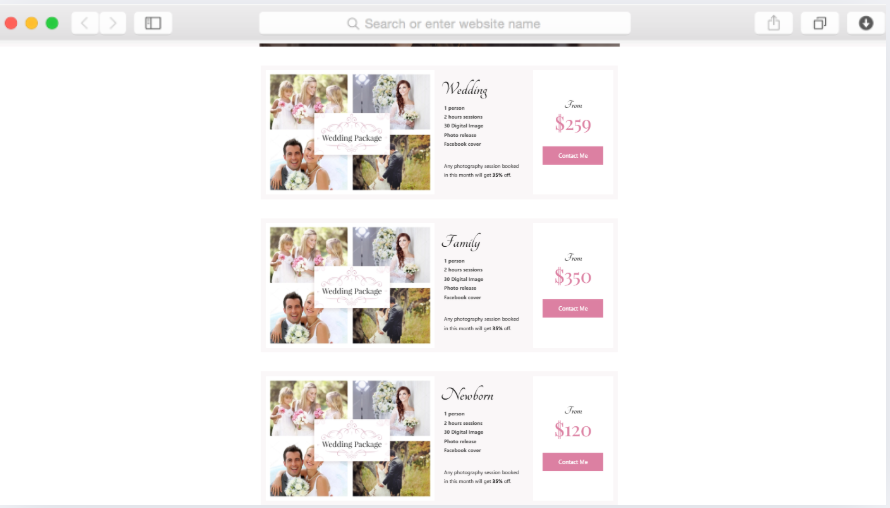
Modifiez la section des tableaux de prix directement dans l'éditeur visuel. Mettez à jour les noms des forfaits, ajustez les prix, modifiez le contenu et ajoutez ou supprimez des niveaux à mesure que votre entreprise évolue. Les modifications prennent effet immédiatement, ce qui garantit que les clients voient toujours les offres actuelles et des informations précises sur les investissements lorsqu'ils envisagent de faire appel à vos services.
Que devient mon site après la période d'essai gratuit ?
Accédez à toutes les fonctionnalités du modèle pendant la période d'essai gratuit de 14 jours, sans avoir à fournir d'informations de paiement. Après la période d'essai, choisissez un forfait payant à partir de 18 $ par mois pour maintenir votre site en ligne avec un domaine personnalisé. Tout le contenu et les personnalisations sont conservés lorsque vous passez à un forfait supérieur, et Dorik offre une garantie de remboursement de 14 jours si vous n'êtes pas satisfait.